
Exploring the realm of ERP reporting systems, this guide delves into the intricacies of how these systems revolutionize data analysis and decision-making in business operations. By uncovering the key features, implementation strategies, data visualization techniques, and security measures, this overview aims to provide a holistic understanding of ERP reporting systems.
Overview of ERP Reporting Systems
ERP reporting systems play a crucial role in modern businesses by providing a centralized platform for collecting, analyzing, and presenting data. These systems help organizations make informed decisions based on accurate and real-time information, ultimately improving operational efficiency and productivity.ERP reporting systems enable businesses to generate various reports, such as financial statements, inventory levels, sales performance, and more.
By consolidating data from different departments and sources, these systems offer a comprehensive view of the organization's performance, helping managers identify trends, patterns, and potential issues.
Popular ERP Reporting Systems
- SAP Business Intelligence
- Oracle ERP Cloud
- Microsoft Dynamics 365
- Tableau
Key Features of ERP Reporting Systems
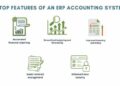
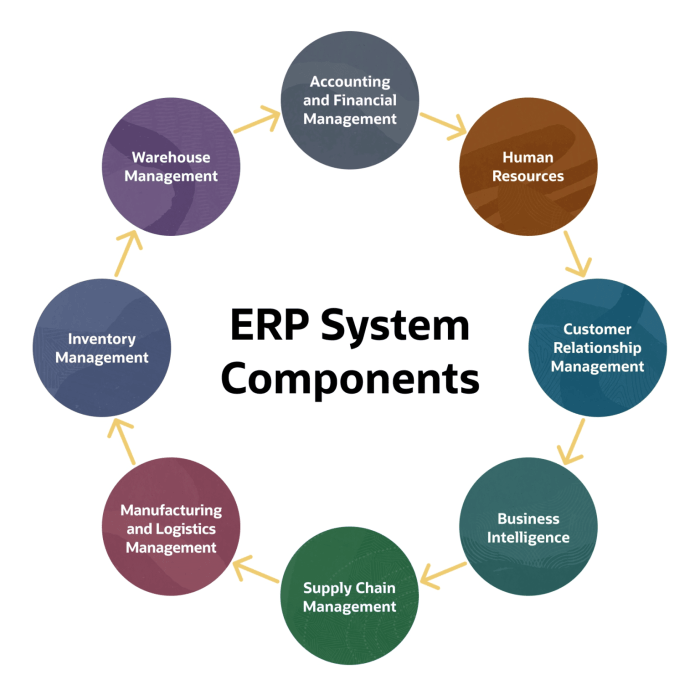
ERP reporting systems come with a variety of key features that make them essential tools for businesses looking to streamline their operations and make data-driven decisions. These features include:
Real-Time Data Updates
ERP reporting systems allow for real-time data updates, ensuring that users have access to the most up-to-date information at all times. This feature enables quick decision-making based on the latest data, leading to more accurate insights and improved operational efficiency.
Customization Options
One of the standout features of ERP reporting systems is the ability to customize reports according to specific business needs. Users can tailor reports to display the exact information they require, whether it's financial data, inventory levels, sales figures, or any other key metrics.
This level of customization ensures that businesses can focus on the data that matters most to them, leading to more informed decision-making and strategic planning.
Implementation of ERP Reporting Systems
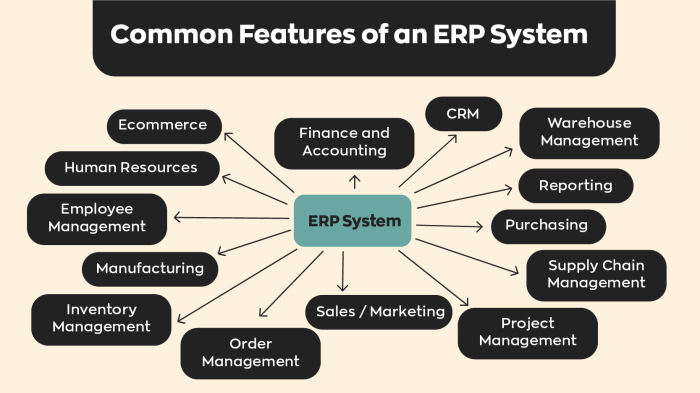
Implementing an ERP reporting system is a crucial process that requires careful planning and execution to ensure its success. Below are the steps involved in implementing an ERP reporting system, common challenges faced during the implementation process, and tips for a successful implementation.
Steps in Implementing an ERP Reporting System
- Define objectives and requirements: Clearly Artikel the goals and expectations of the ERP reporting system to meet the organization's needs.
- Select the right ERP software: Choose a reliable ERP software solution that aligns with the organization's requirements and goals.
- Design and customization: Customize the ERP reporting system to fit the specific needs and processes of the organization.
- Data migration: Transfer existing data to the new ERP system accurately and securely.
- Training and testing: Provide thorough training to users and conduct comprehensive testing to ensure the system functions as intended.
- Go-live and support: Launch the ERP reporting system and provide ongoing support for users to address any issues or concerns.
Common Challenges and How to Overcome Them
- Resistance to change: Address resistance by communicating the benefits of the ERP reporting system and involving key stakeholders in the implementation process.
- Data quality issues: Ensure data accuracy through data cleansing and validation processes before migration.
- Lack of expertise: Invest in training programs for employees to build the necessary skills to effectively use the ERP reporting system.
- Integration complexities: Work closely with ERP vendors and IT teams to streamline integration processes and resolve any compatibility issues.
Tips for a Successful ERP Reporting System Implementation
- Establish clear communication channels: Keep all stakeholders informed and engaged throughout the implementation process.
- Set realistic timelines and milestones: Break down the implementation process into manageable stages with achievable goals.
- Monitor progress and performance: Regularly track key performance indicators to evaluate the success of the ERP reporting system implementation.
- Seek feedback and make adjustments: Gather feedback from users and make necessary adjustments to improve the system's effectiveness.
Data Visualization in ERP Reporting Systems
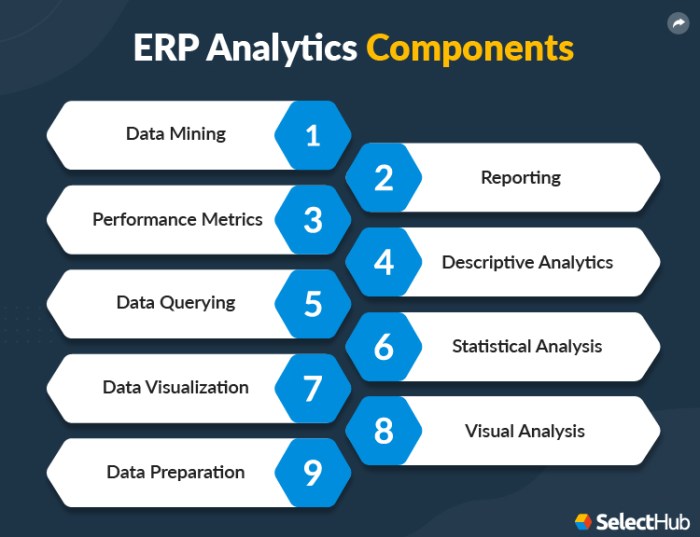
Data visualization plays a crucial role in ERP reporting systems as it allows users to easily interpret and analyze complex data sets. By presenting data in a visual format, such as charts, graphs, and dashboards, users can quickly identify trends, patterns, and outliers, leading to better decision-making and strategic planning.
Importance of Data Visualization Tools
Data visualization tools within ERP reporting systems provide a clear and intuitive way to represent data, making it easier for users to understand and make sense of the information presented
- Charts - Charts are commonly used in ERP reporting systems to represent data in a visual format, such as bar charts, pie charts, line charts, and scatter plots. These visualizations help users compare data, identify trends, and track progress over time.
- Graphs - Graphs are useful for visualizing relationships between different data points, such as dependencies, correlations, and hierarchies. Users can easily identify patterns and outliers in the data by analyzing graphs.
- Dashboards - Dashboards provide a comprehensive overview of key performance indicators and metrics in a single view. Users can customize dashboards to display relevant information and track progress towards business goals.
Enhancing Understanding of Complex Data Sets
Data visualization enhances the understanding of complex data sets by simplifying information and highlighting key insights. By presenting data visually, users can quickly grasp trends, patterns, and anomalies that may not be apparent in raw data. This visual representation of data allows for faster decision-making, improved data analysis, and enhanced communication of insights across the organization.
Security and Compliance in ERP Reporting Systems
When it comes to ERP reporting systems, security and compliance are crucial aspects to consider. These systems deal with sensitive data that must be protected at all costs to prevent unauthorized access and ensure compliance with regulations.
Security Measures in ERP Reporting Systems
- Encryption: Data encryption is used to secure information both at rest and in transit, ensuring that only authorized users can access it.
- Role-based Access Control: By assigning specific roles and permissions to users, ERP reporting systems can control who has access to which data, minimizing the risk of data breaches.
- Authentication: Implementing multi-factor authentication adds an extra layer of security by requiring users to provide more than one form of identification to access the system.
- Audit Trails: Keeping detailed logs of user activities helps in tracking any unauthorized access attempts and identifying potential security threats.
Compliance Standards for ERP Reporting Systems
- GDPR: ERP reporting systems need to comply with the General Data Protection Regulation (GDPR) to ensure the protection of personal data and privacy rights of individuals.
- SOX: Systems need to adhere to the Sarbanes-Oxley Act (SOX) to prevent financial fraud and ensure accurate financial reporting.
- HIPAA: For systems handling healthcare data, compliance with the Health Insurance Portability and Accountability Act (HIPAA) is essential to safeguard patient information.
Role of User Access Controls
- Granular Permissions: ERP reporting systems should offer granular control over user access, allowing administrators to define specific permissions based on roles and responsibilities.
- User Provisioning and Deprovisioning: Proper management of user accounts, including timely provisioning and deprovisioning, helps in preventing unauthorized access to the system.
- Regular Security Training: Educating users about security best practices and the importance of data protection is crucial in maintaining a secure ERP reporting environment.
Wrap-Up
In conclusion, ERP reporting systems are indispensable tools that streamline data management and enhance operational efficiency. By embracing the features and best practices discussed in this guide, businesses can leverage ERP reporting systems to drive success and stay ahead in today's competitive landscape.
Essential FAQs
How do ERP reporting systems improve decision-making?
ERP reporting systems provide real-time data updates and customizable options that empower businesses to make informed decisions quickly.
What are the common challenges during ERP reporting system implementation?
Some common challenges include data migration issues, user training needs, and system integration complexities. These can be overcome by thorough planning and stakeholder involvement.
Why is data visualization important in ERP reporting systems?
Data visualization tools enhance the understanding of complex data sets, making it easier for users to interpret and derive valuable insights for strategic decision-making.